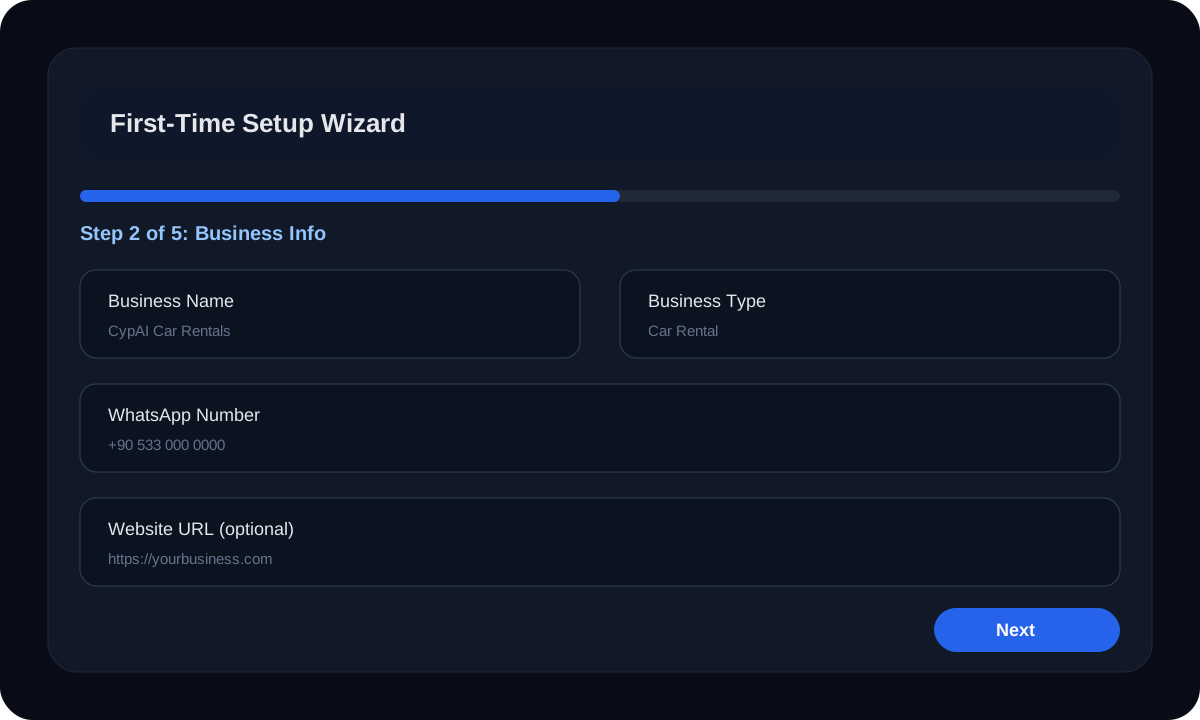
1) Fill business info
Beginner Setup Guide
This page is made for non-technical business owners. No jargon. No confusing instructions. Just the exact steps you need to get CypAI working in your business.
These illustrations show what the setup and dashboard flow looks like, so it feels easier before you start.
1) Fill business info
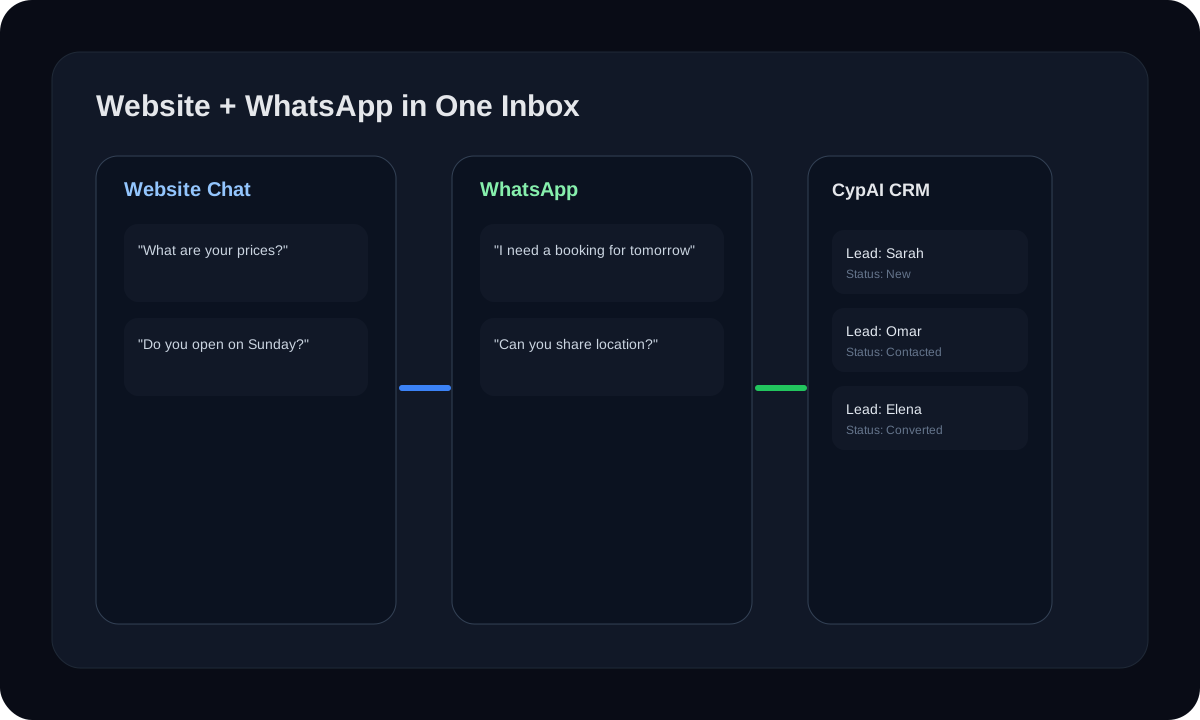
2) Connect channels

3) Track leads and conversations
Step 1
Sign up, choose your plan, and enter your business email. Do not worry about making the perfect choice. You can improve your setup as you go.
Step 2
Add your business name, type, WhatsApp number, website, business hours, and the languages your customers speak. This is how the AI learns the basics.
Step 3
Write down your real prices and the common questions customers always ask. Use plain words. The clearer you are, the better the AI answers.
Step 4
Pick your widget color, where it should appear, and the welcome message customers will see first. Keep it simple and friendly.
Step 5
Copy the widget code from your dashboard and paste it into your website. If you have a developer, send them the code. If you use a website builder, paste it in the custom code section.
Step 6
If customers message you on WhatsApp, connect it so CypAI can answer there too and keep everything organized in one place.
Step 7
Open the dashboard every day or every few days. Check new chats, follow up with leads, and improve the AI when you see repeated questions.
This is the little chat bubble on your website. It helps answer questions immediately so visitors do not leave without talking to you.
This lets CypAI talk to customers on WhatsApp too, so you do not have to switch between different places and forget conversations.
This is your organized customer list. It saves names, phone numbers, and conversations so you know who to contact and who is serious.
If your business takes bookings or appointments, CypAI can collect the details and help you confirm them much faster.
This helps you talk again to people who showed interest but did not finish. Many sales are saved by a simple second message.
This shows what is happening in your business in simple numbers: chats, leads, activity times, and trends. It helps you improve without guessing.
Do not try to make everything perfect on day one. The best approach is to make CypAI useful first, then make it better every week. Start with your business info, your prices, and your top 10 questions. Then install the widget. That gives you a working system quickly.
After that, use real customer conversations to improve your setup. If customers ask something new, teach the AI that answer. If many people ask for bookings, improve the booking flow. If leads are not being followed up, use CRM and follow-up tools more consistently.
Read the full beginner blog guide for a deeper explanation of how to use CypAI in everyday business life.